 Soulter
fc33b3eb68
Soulter
fc33b3eb68
* docs: transfer AstrBotDevs/AstrBot-docs to AstrBotDevs/AstrBot
* refactor: reorder imports and improve type hints in sync_docs_to_wiki.py and upload_doc_images_to_r2.py
* feat: add GitHub Actions workflow to sync wiki with documentation

Co-authored-by: Soulter <37870767+Soulter@users.noreply.github.com>
Co-authored-by: anka-afk <110004162+anka-afk@users.noreply.github.com>
Co-authored-by: zouyonghe <62183434+zouyonghe@users.noreply.github.com>
Co-authored-by: shuiping233 <49360196+shuiping233@users.noreply.github.com>
Co-authored-by: LIghtJUNction <106986785+LIghtJUNction@users.noreply.github.com>
Co-authored-by: Sjshi763 <179909421+Sjshi763@users.noreply.github.com>
Co-authored-by: xiewoc <70128845+xiewoc@users.noreply.github.com>
Co-authored-by: QingFeng-awa <151742581+QingFeng-awa@users.noreply.github.com>
Co-authored-by: PaloMiku <96452465+PaloMiku@users.noreply.github.com>
Co-authored-by: shangxueink <138397030+shangxueink@users.noreply.github.com>
Co-authored-by: IGCrystal-A <244300990+IGCrystal-A@users.noreply.github.com>
Co-authored-by: RC-CHN <67079377+RC-CHN@users.noreply.github.com>
Co-authored-by: MC090610 <113341105+MC090610@users.noreply.github.com>
Co-authored-by: Waterwzy <196913419+Waterwzy@users.noreply.github.com>
Co-authored-by: Lanhuace-Wan <186303160+Lanhuace-Wan@users.noreply.github.com>
Co-authored-by: LiAlH4qwq <61769640+LiAlH4qwq@users.noreply.github.com>
Co-authored-by: HSOS6 <209910899+HSOS6@users.noreply.github.com>
Co-authored-by: th-dd <162813557+th-dd@users.noreply.github.com>
Co-authored-by: miaoxutao123 <81676466+miaoxutao123@users.noreply.github.com>
Co-authored-by: nuomicici <143102889+nuomicici@users.noreply.github.com>
Co-authored-by: nasyt233 <210103278+nasyt233@users.noreply.github.com>
Co-authored-by: jlugjb <7426462+jlugjb@users.noreply.github.com>
Co-authored-by: Raven95676 <176760093+Raven95676@users.noreply.github.com>
Co-authored-by: Futureppo <180109455+Futureppo@users.noreply.github.com>
Co-authored-by: MliKiowa <61873808+MliKiowa@users.noreply.github.com>
Co-authored-by: Fridemn <150212937+Fridemn@users.noreply.github.com>
Co-authored-by: BakaCookie520 <138355736+BakaCookie520@users.noreply.github.com>
Co-authored-by: YumeYuka <125112916+YumeYuka@users.noreply.github.com>
Co-authored-by: xming521 <32786500+xming521@users.noreply.github.com>
Co-authored-by: ywh555hhh <121592812+ywh555hhh@users.noreply.github.com>
Co-authored-by: stevessr <89645372+stevessr@users.noreply.github.com>
Co-authored-by: roeseth <41995115+roeseth@users.noreply.github.com>
Co-authored-by: ikun-1145141 <265925499+ikun-1145141@users.noreply.github.com>
Co-authored-by: evpeople <54983536+evpeople@users.noreply.github.com>
Co-authored-by: Yue-bin <60509781+Yue-bin@users.noreply.github.com>
Co-authored-by: W1ndys <109416673+W1ndys@users.noreply.github.com>
Co-authored-by: TheFurina <218887821+TheFurina@users.noreply.github.com>
Co-authored-by: Seayon <12275933+Seayon@users.noreply.github.com>
Co-authored-by: OnlyblackTea <38585636+OnlyblackTea@users.noreply.github.com>
Co-authored-by: ocetars <74854972+ocetars@users.noreply.github.com>
Co-authored-by: railgun19457 <117180744+railgun19457@users.noreply.github.com>
Co-authored-by: JunieXD <107397009+JunieXD@users.noreply.github.com>
Co-authored-by: advent259141 <197440256+advent259141@users.noreply.github.com>
Co-authored-by: Doge2077 <91442300+Doge2077@users.noreply.github.com>
Co-authored-by: Bocity <23430545+Bocity@users.noreply.github.com>
Co-authored-by: Aurora-xk <192227833+Aurora-xk@users.noreply.github.com>
1.1 KiB
1.1 KiB
Deploy AstrBot on CasaOS
Install CasaOS
curl -fsSL https://get.casaos.io | sudo bash
Add CasaOS-AppStore-Play App Store Source
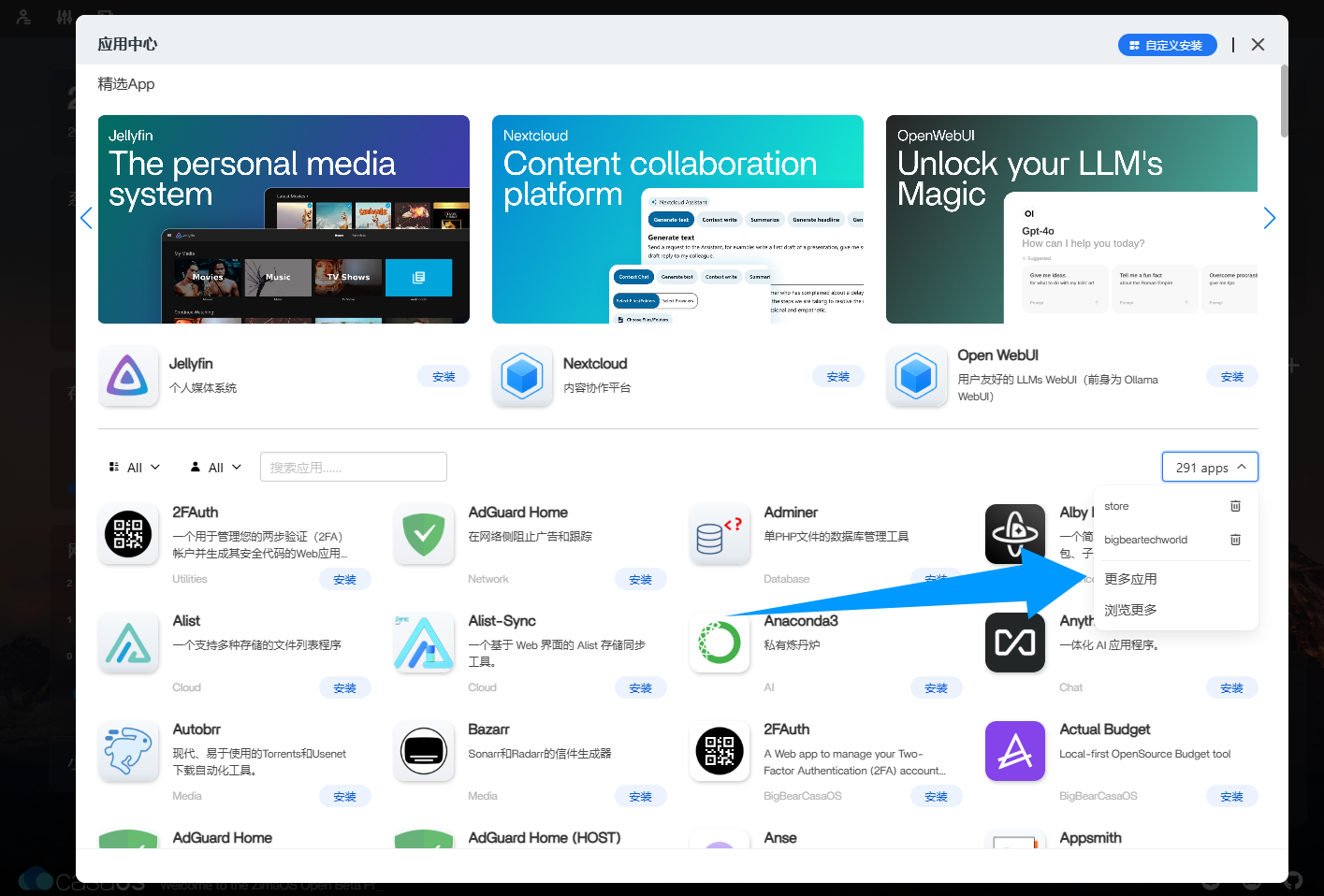
Click More Apps, then enter:
https://play.cuse.eu.org/Cp0204-AppStore-Play.zip
And add it, wait for the addition to complete.
If your network environment is in mainland China, please search for and add dkTurbo first, otherwise you may not be able to pull the AstrBot image.
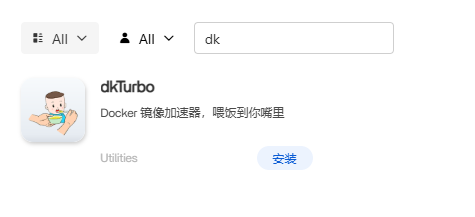
Enter Astrbot to find AstrBot.
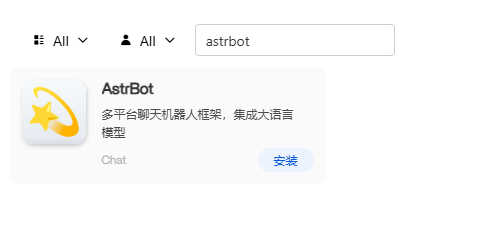
Click the icon (not the install button), then hover over the Install button and click Custom Install.
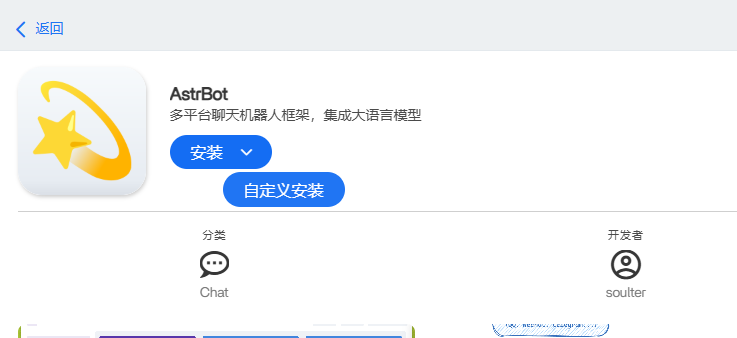
In the Network section, select host.
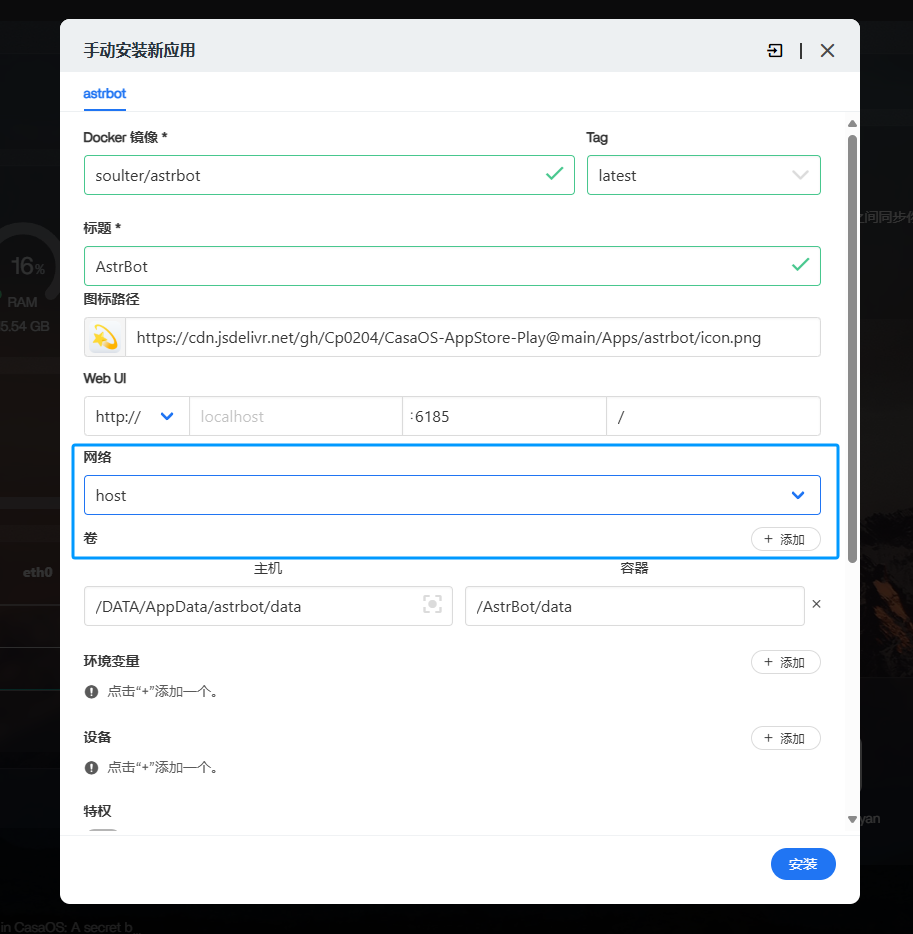
Then click Install to start the installation.
After installation is complete, the AstrBot APP will appear on the main interface. Click it to open the dashboard.